What is a DAW and how to choose one for beginners
Quick answer: A DAW is software that records, edits, arranges and mixes audio on a computer, replacing the tape machines, mixing desks and outboard processors of a traditional studio. If you want to record a song, edit a podcast, or build a beat, a DAW is the central workspace where all of that work happens. Beginners should choose one that fits their computer, their budget, and the kind of projects they plan to make, then learn its core workflow before worrying about extra plugins or advanced features.
If you have ever wondered what is a daw, you are asking about the single most important tool in modern audio production. DAW stands for digital audio workstation. It is the software musicians, podcasters, sound designers and audio engineers use to capture sound, shape it, arrange it into a finished piece, and export it as a file that other people can listen to. Before DAWs became common, recording a song meant booking time in a studio full of expensive hardware. Today, a laptop, an audio interface, a microphone and a DAW can form a complete working studio.
The reason the question matters is that choosing a DAW is often the first real decision a beginner makes. The software you pick shapes how you record, how you edit, and how quickly you finish projects. A good choice makes learning enjoyable; a poor choice leaves you fighting the interface instead of making sound.
What does a DAW actually do?
A DAW brings together several jobs that used to require separate pieces of hardware. First, it records audio. When you plug a microphone or an instrument into an audio interface and press record, the DAW captures the sound as digital audio and places it on a track in a timeline. Second, it edits audio. You can cut out mistakes, move sections, trim silence, adjust volume, and rearrange parts by dragging clips around with a mouse. Third, it mixes audio. Each track has its own volume, pan position and effects, and the DAW combines them into a balanced stereo mix. Fourth, it hosts virtual instruments and effects. Software synthesisers, samplers and drum machines run inside the DAW, so you can compose music without owning a physical instrument.
Most DAWs also handle MIDI, the data format used to control virtual instruments. When you play notes on a MIDI keyboard, the DAW records the timing and pitch of each note rather than the sound itself, so you can change notes, fix timing, or swap the instrument sound after the performance.
A DAW also manages the session itself. It saves your project, remembers where every clip sits, stores your mixer settings, and lets you export the finished result as a standard audio file. That exported file is what you upload to a streaming platform, send to a client, or attach to a video. Understanding the digital audio workstation basics helps here, because the concepts of tracks, clips, buses and the mixer appear in every DAW, even when the buttons look different. Newer DAWs increasingly include assisted editing tools, as explained in how AI is changing audio editing, which can speed up routine cleanup work for beginners.
What are the main parts of a DAW?
Every DAW is built around the same core components, even though each program arranges them differently. Learning these parts once makes it far easier to move between programs later.
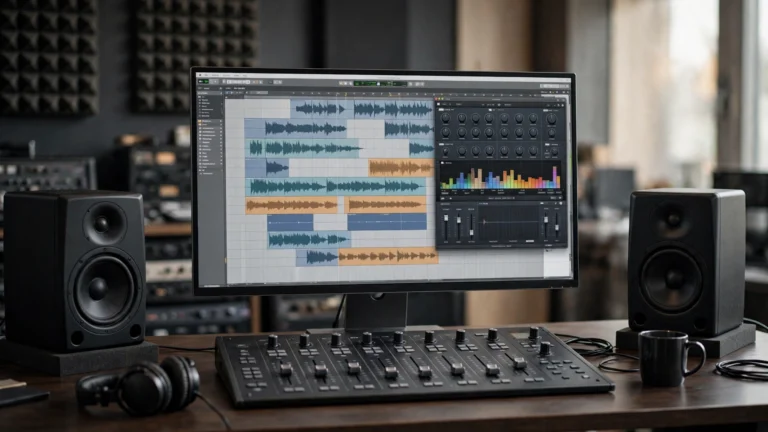
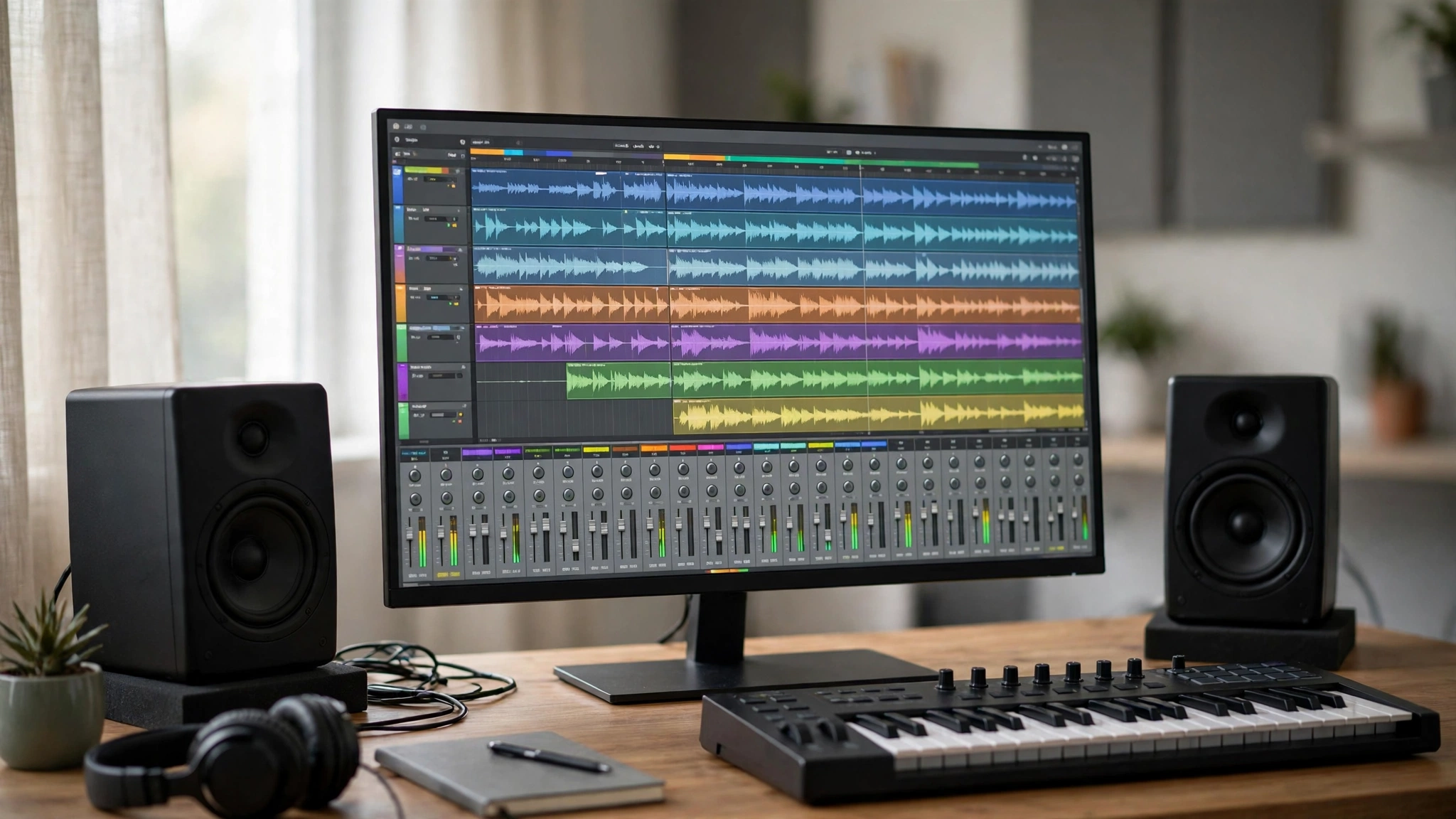
The timeline, often called the arrangement view, is where your project lives. Tracks run horizontally across the screen and time runs from left to right. Audio clips and MIDI clips sit on the tracks, and you move, copy, split and stretch them to build the structure of a song or episode. Above or below the timeline you will usually find a transport bar with play, stop and record buttons, plus a tempo and time signature display.
The mixer is the second major part. It shows one channel strip per track, with a volume fader, a pan control, and slots for effects such as equalisation, compression and reverb. The mixer is where balance is decided: which sounds sit forward, which sit back, and how the whole project feels as a single piece. Beginners often ignore the mixer at first and try to fix balance by editing clips, but learning it early saves a great deal of time.
The browser or library is where sounds, loops, presets and plugins live. Most DAWs ship with a collection of loops and instrument presets, and the browser is how you find and audition them.
How do you record audio in a DAW?
Recording in a DAW follows the same basic steps in every program. You create a track, choose the input your microphone or instrument is connected to, arm the track for recording, check the input level, and press record. The DAW captures the performance in real time and displays the waveform as it is recorded. When you stop, the new clip appears on the timeline, ready to edit.
The most common beginner mistake is recording too loudly. Digital audio has a ceiling, and if the signal goes above it, the recording distorts in a way that cannot be fixed later. A safe approach is to aim for peaks well below the maximum, leaving headroom for later processing. It is always easier to turn a quiet recording up than to repair a distorted one.
Monitoring matters too. When you record, you need to hear yourself through headphones without an audible delay. That delay is called latency, and every DAW has settings to reduce it. A small buffer size lowers latency but demands more from the computer, while a larger buffer is more stable but adds delay. For recording, use a small buffer; for mixing, switch to a larger one.
What features matter most in a DAW for beginners?
Beginners are often overwhelmed by feature lists, but only a handful of features decide whether a DAW is pleasant to learn. The first is a clear, readable interface. You will spend hours looking at this screen, so menus should be easy to find and the timeline should be easy to read. The second is good stock instruments and effects. A DAW that ships with a usable drum kit, a piano, a bass, an equaliser, a compressor and a reverb lets you finish real projects without buying anything else — most of the essential audio processing tools a creator needs are already inside a DAW.
The third is solid audio editing. Cutting, fading, crossfading, comping and time-stretching should feel straightforward. The fourth is reliable performance on your computer. A DAW that runs smoothly on modest hardware is worth more to a beginner than one with advanced features that stutter and crash. The fifth is learning material. A DAW with clear documentation, built-in tutorials and an active community will shorten the learning curve dramatically.
How much does a DAW cost?
DAWs span the full range from free to several hundred dollars, and price does not always predict how suitable a program is for a beginner. Free options such as Audacity and GarageBand are genuine starting points, though they differ in scope: Audacity is primarily an audio editor rather than a full DAW, while GarageBand is a complete beginner DAW with instruments, loops and a simple interface. Several professional DAWs also offer free or entry-level editions with limited track counts or features, which can be enough for a first year of learning.
Mid-priced DAWs usually cost around the price of a modest piece of hardware, and they include the full feature set most creators need. Professional DAWs at the higher end add advanced editing, surround sound, notation, or large-scale session handling that a beginner will not use for a long time. Buying the most expensive option first is rarely the best move. Start with a free or affordable edition, learn the workflow, and upgrade only when a specific limitation is holding back a real project.
How do you choose a DAW for your kind of project?
The right DAW depends on what you plan to make. A songwriter who records vocals and guitar needs strong audio recording, comping and a simple mixer. A beatmaker needs good MIDI editing, drum programming and a fast workflow for trying loops and sounds. A podcaster needs clean audio editing, noise reduction, loudness tools and a simple export process. A sound designer for film or games needs flexible routing, automation and good handling of many short clips.
The most practical test is a trial. Most paid DAWs offer a free trial period, and free editions let you work without a time limit. Spend a few days with one program: record something, edit it, add an effect, mix it and export it. If that cycle feels natural, the DAW is a good fit. If every step feels like a struggle, try another one before committing. Switching DAWs later is possible, but the skills transfer more easily than the projects do, so it is worth taking the time to choose well at the start. The AI music production in 2026 guide shows how creators are building tracks without traditional studios, and the workflow it describes still starts with a DAW at the centre.
| DAW approach | Best for | Learning curve | Typical cost |
|---|---|---|---|
| Free beginner DAW | First recordings, podcast editing, simple songs | Gentle | Free |
| Entry-level paid DAW | Songwriting, beats, regular podcast production | Moderate | Low to mid range |
| Professional DAW | Full music production, mixing, film and game audio | Steeper | Mid to high range |
| Audio editor only | Quick edits, cleanup, format conversion | Gentle | Free to low range |
Frequently asked questions
What is a DAW in simple terms?
A DAW is software that records, edits, arranges and mixes audio on a computer. It combines the jobs of a tape recorder, a mixing desk and an effects rack into one program, and it is the central workspace for making music, podcasts and sound design.
Do I need a DAW to make music?
You need some kind of DAW or recording software to produce finished music on a computer. Even if you record with hardware, the audio usually passes through a DAW for editing, mixing and export. Free DAWs are enough to start, and you can move to a paid program when your projects need more.
Which DAW is best for beginners?
The best DAW for a beginner is the one that runs well on their computer, covers the kind of projects they want to make, and feels clear to use during a trial. GarageBand is a common starting point on Mac, while free and entry-level editions of programs such as Reaper, Pro Tools and Logic Pro are widely used elsewhere. Try one for a few days before deciding.
Can I use a DAW for podcasting?
Yes. A DAW is well suited to podcasting because it handles multi-track recording, editing out mistakes, balancing voices, adding music, and exporting a finished episode. Podcasters often use a simpler editing workflow than musicians, but the core tools are the same. If you are planning spoken-word work, the how to start a podcast in 2026 guide covers the basic recording setup in more detail.
Do I need an audio interface to use a DAW?
You can start with a computer’s built-in microphone and speakers, but an audio interface improves sound quality, reduces latency and lets you connect proper microphones and instruments. For serious recording, an interface is one of the first upgrades worth making.
Can I switch DAWs later?
Yes. The core skills — recording, editing, mixing, MIDI and automation — transfer between DAWs, and audio files can be exported and imported anywhere. Project files themselves usually do not open in a different DAW, so finish open projects before switching, or export their stems first.
Conclusion
A DAW is the workshop where modern audio is made. It records performances, organises them on a timeline, shapes them with effects, and mixes them into a finished file. The specific program matters less than the workflow: record cleanly, edit with purpose, mix with balance, and export carefully. Beginners should start with a DAW that fits their computer, their budget and their projects, learn its core tools through small finished pieces, and resist the urge to collect plugins before the fundamentals are solid. The interface, microphone and headphones around the DAW also shape what you record, as covered in how audio gear can help your business. Choose one DAW, learn it properly, and let the music or the podcast — not the software — be the focus of your time. Keep sessions in clearly named folders, back them up regularly, and export a mixdown after each working session so you always have a listenable copy.