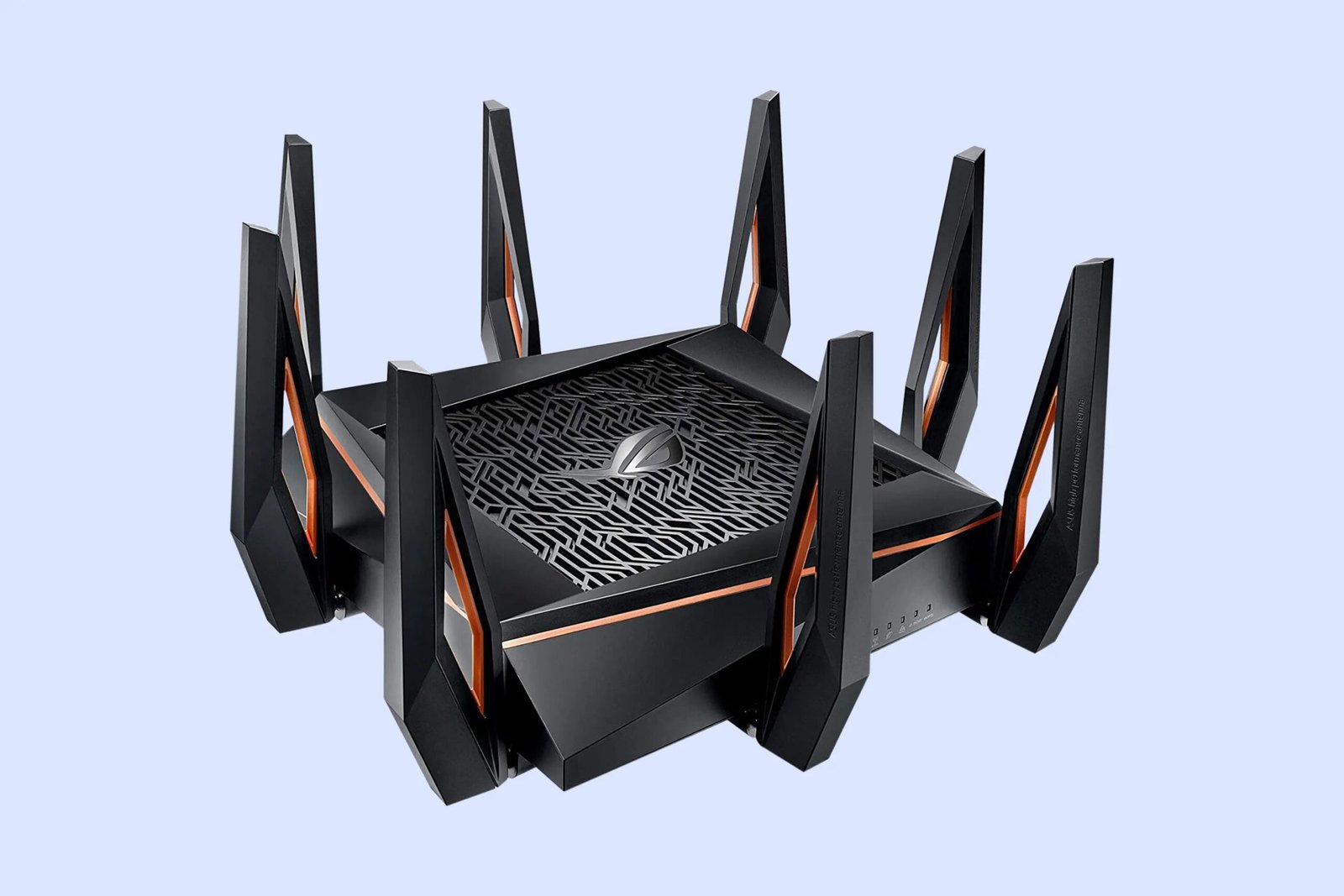
TM Unifi WiFi 6 Router (2026): Complete Guide to Faster, Smarter Home Connectivity in Malaysia
A stable, fast internet connection is no longer a luxury in modern Malaysian homes — it is a necessity. From video calls and online classes to 4K streaming, smart home devices, and gaming, households today demand reliable high-speed connectivity at all times. This is where the TM Unifi WiFi 6 Router becomes highly relevant[1][2].
WiFi 6 (IEEE 802.11ax) is the current mainstream wireless standard, designed to handle more devices simultaneously, deliver better efficiency, and reduce network congestion. While WiFi 7 exists as of 2024, WiFi 6 remains the most widely deployed and supported standard for home broadband as of February 2026[3]. When paired with a Unifi fibre plan, a certified WiFi 6 router can make a measurable difference in heavily connected households.
Definition: What Is a WiFi 6 Router?
WiFi 6 Router (802.11ax): A next-generation wireless router that uses the 802.11ax standard to serve more devices simultaneously with improved efficiency, lower latency, and enhanced security compared to WiFi 5 (802.11ac).
- Also known as: 802.11ax router, High-Efficiency (HE) wireless
- Key benefit: Better multi-device performance in congested or dense networks
- Backwards compatible: Older WiFi 4/5 devices still work, though without full WiFi 6 speeds
Unifi models vary: TM Unifi provides certified WiFi 6 routers including D-Link DIR-X1860Z (AX1800) and DIR-X3000Z/DIR-X3060Z (AX3000) depending on your plan[1][4][5]
Which WiFi 6 Router Model Does Unifi Provide?
TM Unifi bundles a certified WiFi 6 router with all broadband subscriptions. Specific models depend on your plan tier and availability at time of activation. Common models include[1][4][5]:
- D-Link DIR-X1860Z (AX1800) — Combined speeds up to 1.8 Gbps; suitable for 100-300Mbps plans
- D-Link DIR-X3000Z / DIR-X3060Z (AX3000) — Combined speeds up to 3 Gbps; suitable for 500Mbps and above
- DPN-FX3060V (AX3000 with GPON, 2.5GE port) — For higher-tier plans
All models support D-Link Mesh networking, app-based management, and are Unifi-compatible out of the box. Check your router’s model label or contact Unifi support for exact specifications[4][5].
Feature Overview — TM Unifi WiFi 6 Router
| Feature | What You Get | Why It Matters | Notes |
| WiFi Standard | 802.11ax (WiFi 6) | Current mainstream standard | WiFi 7 exists but WiFi 6 widely deployed |
| Band Support | Dual-band (2.4GHz & 5GHz) | Balanced coverage + speed | 6GHz available on WiFi 6E only |
| OFDMA | Multi-device channel sharing | Fewer bottlenecks in busy networks | Key upgrade over WiFi 5 |
| MU-MIMO | Multiple simultaneous data streams | Faster multi-user performance | Up/downlink both supported in WiFi 6 |
| TWT | Scheduled device wake cycles | Improves battery life on IoT devices | Especially useful for smart home |
| WPA3 Security | Enhanced encryption standard | Stronger protection | Required for WiFi CERTIFIED devices |
| Mesh Support | Extendable with D-Link Mesh nodes | Eliminates dead zones | Model dependent |
| App Management | D-Link app or Unifi app | Monitor, set controls, manage bandwidth | Available on all current models |
Table 1: Key features of TM Unifi WiFi 6 Router
Why WiFi 6 Matters for Malaysian Homes
Urban Malaysian households — particularly apartments and condominiums — are dense WiFi environments where interference from neighbouring networks is a real performance drag. WiFi 6’s BSS Coloring feature helps devices distinguish between transmissions from their own network and neighbouring ones, reducing unnecessary interference[3].
According to Parks Associates, the average U.S. internet household connected 17 devices in Q3 2023[6]. Malaysian homes with smart devices, multiple family members, and work-from-home setups can reach similar numbers — making efficient device management essential, not optional.
When to Upgrade to WiFi 6
- Your household has 6 or more devices connected simultaneously
- You experience slowdowns during peak hours (evenings, weekends)
- You use smart home devices, AI CCTV cameras, or IoT gadgets
- You game online, video conference, or stream in 4K regularly
When NOT to Upgrade
- You are a single-user household with basic browsing needs
- All your devices are more than 5 years old (limited WiFi 6 compatibility)
- Your broadband plan is 30Mbps or below — the bottleneck is the plan, not the router
How It Works: Input → Process → Output
WiFi 6 combines hardware upgrades with new transmission protocols to serve multiple devices more efficiently than its predecessor[3][7].
Input
Devices — smartphones, laptops, smart TVs, gaming consoles, AI cameras, IoT sensors — send data requests to the WiFi 6 router simultaneously over the 2.4GHz and 5GHz bands.
Process
Four key technologies handle the traffic:
- OFDMA divides each channel into smaller resource units, allowing the router to serve multiple devices in a single transmission rather than queuing them one-by-one[3]
- MU-MIMO supports multiple simultaneous data streams across both upload and download directions — an upgrade over WiFi 5’s download-only MU-MIMO[3]
- Target Wake Time (TWT) schedules when IoT devices wake to communicate, reducing power usage and network contention[7]
- BSS Coloring tags transmissions so devices can ignore neighbouring network traffic, reducing interference in dense apartment environments[3]
Output
More devices receive data simultaneously with lower latency, fewer collisions, and reduced interference — resulting in a more stable and responsive connection for all users on the network.
Real-World Scenarios: Who Benefits?
Busy Family Home — Everyone Online at Once
Scenario: Two children attend online classes, both parents are on Zoom calls, and a smart CCTV system is uploading footage — all simultaneously.
What happens: OFDMA splits the channel to serve all devices at once rather than queuing them, keeping all connections stable.
Why WiFi 6 helps: An older WiFi 5 router would queue requests sequentially, causing lag spikes during peak household usage.
High-Rise Apartment — Interference from Neighbours
Scenario: A resident in a condominium experiences slow speeds in the evenings despite a fast broadband plan.
What happens: WiFi 6’s BSS Coloring detects and tags neighbouring network signals, allowing the router to transmit without being blocked by them.
Why WiFi 6 helps: In dense WiFi environments, interference — not plan speed — is often the bottleneck. WiFi 6 is specifically engineered to address this[3].
Work-From-Home Professional — Stable Video Conferencing
Scenario: A freelancer needs uninterrupted video calls and fast cloud uploads throughout the workday.
What happens: MU-MIMO allows simultaneous upload and download streams, keeping the call stable while large files sync to cloud storage in the background.
Why WiFi 6 helps: Uplink MU-MIMO (new in WiFi 6) specifically improves upload performance — critical for video conferencing[3].
Smart Home User — IoT Devices Running 24/7
Scenario: A home has 15+ smart devices including cameras, sensors, smart plugs, and voice assistants all connected.
What happens: TWT schedules each device’s communication window, preventing all devices from broadcasting simultaneously and draining bandwidth.
Why WiFi 6 helps: IoT devices using TWT consume less network capacity and battery life, keeping the main network clear for heavy users[7].
Online Gamer — Low Latency Matters
Scenario: A gamer needs low ping and consistent response times during competitive matches.
What happens: Reduced contention and OFDMA efficiency keep the gaming device’s data stream prioritised and consistent.
Why WiFi 6 helps: Lower per-device latency is a measurable WiFi 6 improvement in congested home networks, benefiting gamers most noticeably.
Common Misconceptions About WiFi 6
Myth 1: WiFi 6 makes my internet plan faster.
Reality: WiFi 6 improves efficiency and reduces congestion — but your broadband plan is the maximum speed ceiling. A 100Mbps plan remains capped at 100Mbps regardless of router generation[2].
Myth 2: All WiFi 6 routers have the same features.
Reality: Features vary significantly by model. The AX1800 and AX3000 differ in maximum throughput, antenna design, and port speeds. Always check your specific model’s documentation[4][5].
Myth 3: My old devices won’t work with a WiFi 6 router.
Reality: WiFi 6 routers are fully backward compatible with WiFi 4 and WiFi 5 devices. Older devices simply connect at their maximum supported speed — no incompatibility[8].
Myth 4: WiFi 6 eliminates all dead zones.
Reality: WiFi 6 improves range efficiency, but dead zones caused by thick walls or large floor plans still require mesh network extenders for full coverage[4].
Myth 5: WiFi 6 is the latest wireless standard.
Reality: WiFi 7 (802.11be) launched certification in 2024. However, WiFi 6 remains the mainstream standard for home broadband deployments as of February 2026, with far wider device support[3].
Unifi Broadband Plans with WiFi 6 Router (2026)
All current Unifi home broadband plans include a certified WiFi 6 router bundled at no extra charge on a 24-month contract[1][2][9]:
| Plan | Speed | Monthly Price | Recommended For |
| Unifi Home | 100Mbps | RM89/mth | Apartments, 2-4 users/devices |
| Unifi Home | 300Mbps | RM129/mth | Families, home offices, 4-6 users |
| Unifi Home | 500Mbps | RM149/mth | Heavy streamers, 6-8 users |
| Unifi Home | 1Gbps | RM293.90/mth | Power users, 8-10+ devices |
| Unifi Home | 2Gbps | RM363.90/mth | Large households, maximum performance |
Table 2: Unifi broadband plans with WiFi 6 router included (24-month contract)
How to Choose the Right WiFi 6 Setup
- Match your plan to your usage — 300Mbps is optimal for most Malaysian families; 500Mbps+ for gaming and 4K streaming households[2]
- Consider home size — Larger landed homes may need D-Link Mesh extender nodes to eliminate dead zones[4]
- Check device compatibility — Most smartphones and laptops from 2020 onwards support WiFi 6
- Assess upload needs — Video conferencing and cloud backups benefit most from plans above 300Mbps with strong upload speeds
- Plan for growth — Each plan includes a WiFi 6 router upgradeable via Unifi’s free upgrade programme at unifi.com.my/upgradewifi6[1]
FAQs — TM Unifi WiFi 6 Router
Is WiFi 6 faster than WiFi 5?
WiFi 6 offers up to 4x greater network capacity than WiFi 5 in multi-device environments. Theoretical maximum speeds reach 9.6 Gbps vs WiFi 5’s 3.5 Gbps, though real-world speeds depend on your broadband plan[3][10].
Which router model will I receive from Unifi?
TM Unifi bundles certified WiFi 6 routers including D-Link AX1800 and AX3000 models depending on your plan tier. Check your router’s model label for exact specifications[1][4].
Do I need WiFi 6 if my plan is below 100Mbps?
WiFi 6 can still improve device handling and reduce congestion even at lower speeds, but the performance benefit is most noticeable on plans of 300Mbps and above with many connected devices[3].
Will my older devices work with a WiFi 6 router?
Yes. WiFi 6 routers are backward compatible with all earlier WiFi standards. Older devices connect at their maximum supported speed without any configuration needed[8].
Can I extend my WiFi coverage with mesh nodes?
Yes. Unifi-compatible D-Link routers support D-Link Mesh networking. Additional mesh nodes (DIR-X1860Z or DIR-X3000Z) can be added to eliminate dead zones in larger homes[4].
Does WiFi 6 support WPA3 security?
WPA3 is required for all WiFi CERTIFIED 6 devices. Most current Unifi-provided routers support WPA3 — confirm on your model’s specification sheet for certainty[10].
Can I use my own WiFi 6 router with Unifi?
Third-party WiFi 6 routers can be used with Unifi broadband by connecting to the ONT (optical network terminal). Check compatibility and configuration guides on the Unifi support portal.
Is mesh networking better than a single router?
For homes above 1,500 sq ft or with multiple floors, a mesh system provides more consistent coverage. A single router is sufficient for apartments and smaller homes[4].
Is WiFi 6 future-proof?
WiFi 6 is widely supported across current devices and will remain relevant for the foreseeable future. WiFi 7 devices are emerging but mainstream adoption is still limited as of 2026[3].
Is Upgrading to WiFi 6 Worth It?
For device-heavy Malaysian households, the TM Unifi WiFi 6 router can meaningfully improve daily internet reliability — particularly in apartments where neighbouring WiFi interference is a persistent issue[2][3]. With all Unifi broadband plans bundling a certified WiFi 6 router at no extra hardware cost, there is no additional upfront investment for new subscribers. The real gains show up in congested households: fewer video call freezes, more stable gaming sessions, smoother background uploads, and better IoT performance — all driven by OFDMA, MU-MIMO, and TWT working together[3][7]. For existing subscribers on older routers, the free upgrade programme at unifi.com.my/upgradewifi6 makes the transition straightforward[1].
Disclaimer:
This article is for informational purposes only and is not officially affiliated with or endorsed by Telekom Malaysia (TM) or Unifi. Router models, broadband plans, pricing, and features may change over time depending on availability and policy updates. For the most accurate and up-to-date information, please refer directly to official TM Unifi channels. Always review contract terms and service agreements before subscribing.