Photo Montage Explained: When To Use It And How To Build One Fast
A photo montage can feel like a shortcut and a superpower at the same time. One image rarely carries a full story, a full timeline, or a full mood. A montage lets you compress information, build context, or create a concept scene that never existed in a single camera frame.
Used with care, it can sell an idea, summarize an event, pitch a product, or make a social post instantly readable. Used carelessly, it can confuse people, violate image rights, or cross ethical lines, especially anywhere audiences expect documentary truth.
Professional visual standards in journalism place a heavy weight on accuracy and warn against manipulations that mislead.
Today, we will explain what a photo montage is, spell out when it earns its keep, and lay out a fast, repeatable way to build one without cutting corners.
What “Photo Montage” Actually Means
Photomontage is a composite image assembled from multiple photographs. Historically, that meant cutting and pasting prints. Today, it usually means digital compositing inside an editor.
For many creators, that editor is no longer desktop-only, especially when quick tools exist to combine images directly in a web workflow.
People use the phrase to describe a few related outputs. Keeping the language straight saves time during production.
- Photomontage (Composite) – Multiple photos blended into one new image, often meant to look cohesive or seamless.
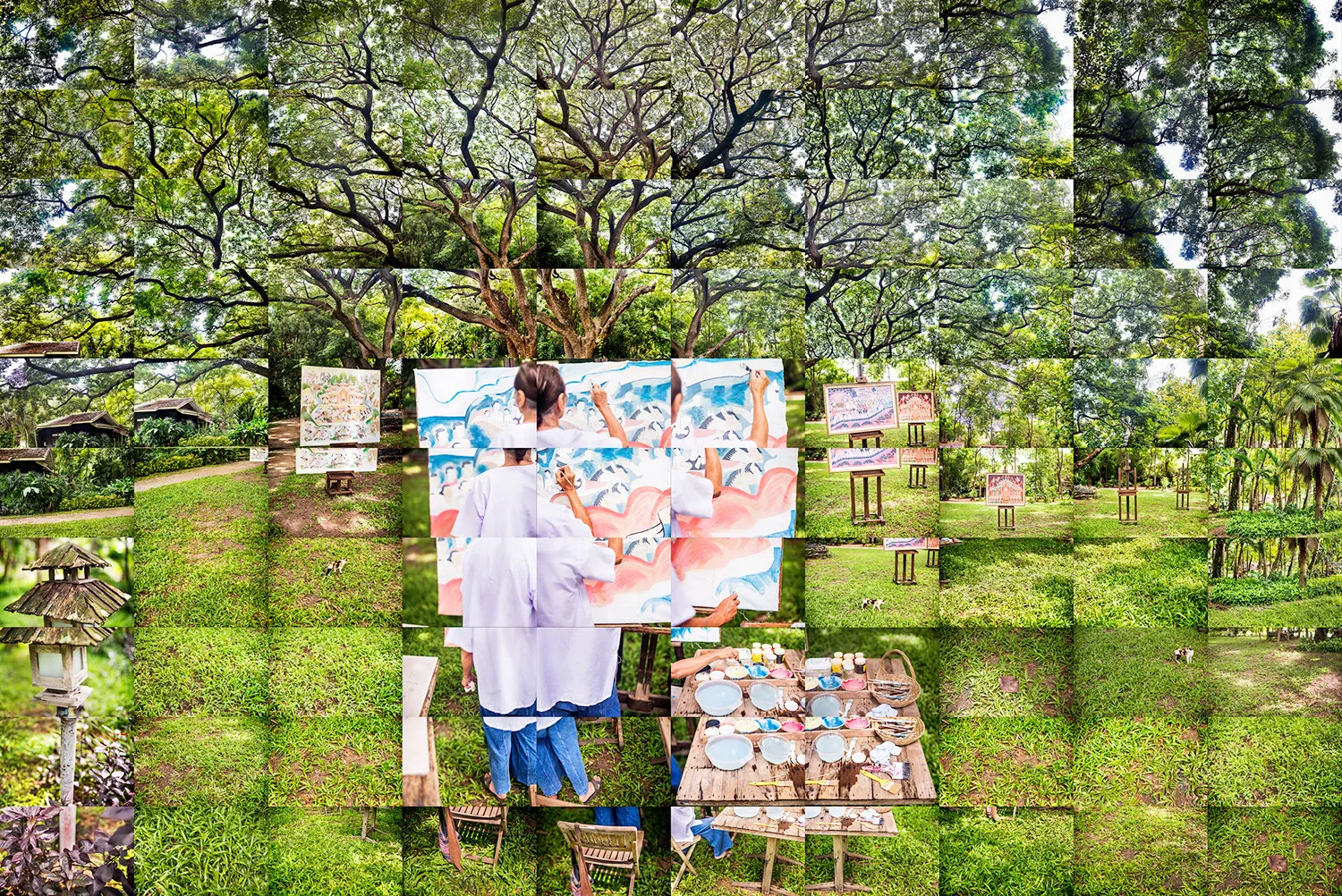
- Photo Collage (Layout Montage) – Multiple photos placed in a grid or arrangement, with clear borders between images.
- Montage Sequence (Story Compression) – Borrowed from film language, a sequence built from thematically linked shots to compress time, show progress, or build meaning. That idea matters for still images because the same goal often drives the design.
A practical way to keep terms clean while working:
- If the goal is one believable scene, treat the project as compositing.
- If the goal is many shots at once, treat the project as a collage or grid.
- If the goal is time or story compression, treat the montage like a sequence, even if the final output is a single poster or a carousel.
When a Photo Montage Is the Right Tool
A montage earns its keep when a single frame cannot carry what the audience needs fast. Human perception is tuned for rapid visual comprehension.
Research on rapid image processing shows meaningful recognition can happen with extremely brief exposures in controlled settings. That speed is a big reason montage formats work so well online, provided the composition stays readable.
High-Value Use Cases
1. Summarizing a Timeline or Progression
Use a montage when the message is “here is what changed” or “here is the journey.”
Common examples:
- Renovation before and after with key steps
- Athlete training blocks across a season
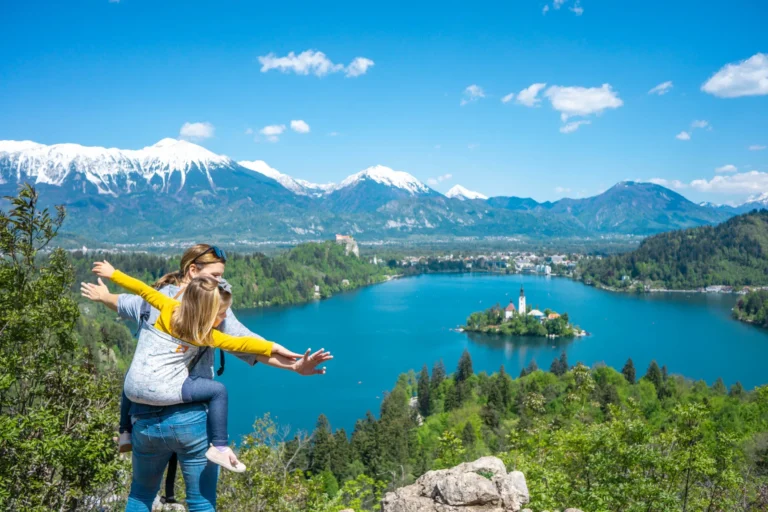
- Travel recaps across locations
- Event highlights in one graphic
For story compression as a concept, montage in film is defined as assembling separate, thematically related pieces into a sequence. Photo montages often do the same job in a single frame or a tight set of frames.
2. Showing Variety Without Losing the Main Point
Examples show up everywhere:
- Product lineups with flavors, colors, or bundle contents
- Portfolio samplers
- Menu board visuals for services
- Real estate room highlights
Layout montages shine here because the viewer instantly sees breadth. Template-based grid tools exist specifically for that output.
3. Explaining a Complex Idea Quickly
Montage works when the concept is abstract:
- “How the system works” in one visual
- Safety do’s and don’ts
- Educational posters showing steps, anatomy, or parts of a tool
For web readers, imagery that relates directly to the accompanying text can improve comprehension and memorability. Decorative imagery tends to be ignored.
4. Concept Art, Advertising, and Campaign Visuals
Composites are common in:
- Key art posters
- Brand campaigns
- Seasonal promos
- Cinematic social graphics
Digital tools make imaginative scenes achievable by combining existing imagery into a new whole.
5. Photojournalism and Documentary Contexts: Proceed With Caution
In journalism, audiences assume “what happened” is represented faithfully. Major ethics codes and newsroom principles prohibit manipulations that mislead.
If a montage appears as an illustration, labeling matters. Longstanding editorial guidance pushes for clear labeling of composites and photo illustrations to protect public trust.
When to Avoid Photo Montage
Some situations call for restraint, because combining images can blur meaning, create legal risk, or undermine trust when viewers expect a literal, unaltered record.
Situations With a High Risk of Misleading Viewers
Avoid montages, or use explicit labels and separation, in contexts where viewers may treat the image as literal evidence:
- Hard news reporting
- Product performance claims
- Medical or legal documentation
- Scientific figures that require fidelity
Professional guidance in visual journalism explicitly warns against manipulation that can mislead or misrepresent subjects.
Situations With Rights, Licensing, or Permission Risk
A montage frequently mixes multiple copyrighted images, plus logos, artwork, or recognizable private property. “Fair use” can apply in limited circumstances, but it is fact-specific and not a general permission slip.
The U.S. Copyright Office explains fair use as a doctrine that can permit unlicensed use in certain circumstances and points to the statutory framework in Section 107.
In professional production, safest practice stays simple:
- Use original photography, licensed stock, or cleared client assets
- Keep proof of licenses
- Get model releases where needed
- Avoid trademark-heavy backgrounds for commercial work unless cleared
A Fast Decision Guide
| Goal | Best Montage Type | Why It Works | Typical Output |
| Show many examples at once | Grid collage | Clarity and quick scanning | Social post, brochure panel |
| Create one believable new scene | Composite photomontage | Cohesive story world | Poster, ad creative |
| Compress time or show progress | Sequence thinking | Narrative efficiency | Carousel, banner |
| Explain steps or a system | Hybrid with icons and photos | Comprehension support | Blog header, guide graphic |
| News or documentary illustration | Only with strict labeling | Trust protection | Labeled photo illustration |
Ethics standards around manipulation and accuracy are strict in journalism, so treat the last row as a special category.
How To Build a Photo Montage Fast
Speed comes from preparation and a repeatable structure. The steps below focus on fast execution while protecting quality.
Step 1: Define the Single Sentence the Montage Must Communicate
Write one sentence before opening any tool.
Examples:
- “A 12-week transformation from first workout to race day.”
- “All products included in the starter kit.”
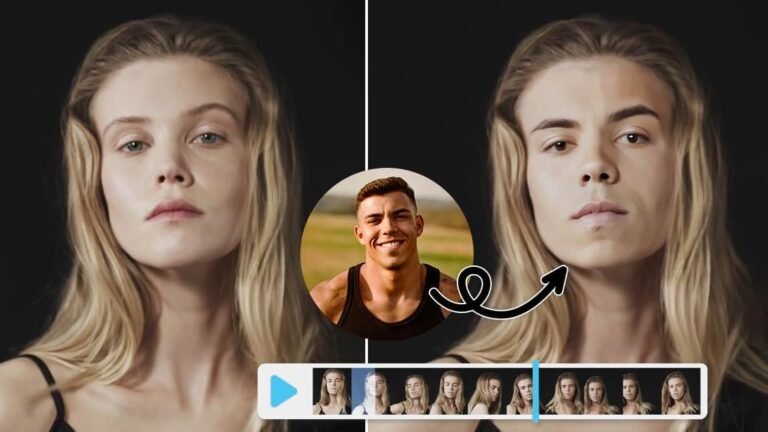
- “A city skyline blended into a portrait to signal place and identity.”
That sentence determines composition, hierarchy, and which images deserve the most space.
Step 2: Pick the Montage Structure in 30 Seconds
Choose one and move on:
- Grid layout, fastest
- Hero image plus supporting tiles, fast and readable
- Seamless composite, slower but cinematic
If the montage will live online, readability beats cleverness. Research on web imagery shows users pay attention when the image contains relevant information and ignore filler.
Step 3: Collect and Normalize Assets
Fast montage work dies on inconsistent inputs. Do quick normalization:
- Select images with similar lighting direction for compositing
- Avoid mixing extreme focal lengths unless the mismatch is intentional
- Crop to consistent aspect ratios for grids
- Keep a consistent color temperature baseline
Step 4: Build in a Nondestructive Way
Nondestructive editing keeps speed high because revisions stay painless. Adobe’s guidance on nondestructive workflows emphasizes masks and approaches that preserve underlying pixels for later adjustment.
Tutorials from Adobe show blending images with layer masks and gradient transitions for soft edges, a staple montage technique.
Key habits:
- Use layer masks rather than erasing pixels
- Keep adjustments as separate layers where possible
- Group layers by element, background, subject, effects, text
Step 5: Use A “3-Layer” Composite Recipe For Speed
For seamless composites, rely on a simple structure:
- Base background layer
- Subject layer with a clean mask
- Integration layers for shadows, color grade, and atmosphere
Integration makes the montage feel intentional.
Practical integration moves:
- Add a soft shadow under the subject
- Match contrast and black point between layers
- Add a subtle global color grade on top
- Add grain consistently across the full image so elements share texture
Step 6: Lock Hierarchy With Simple Rules
A montage needs a reading order. Apply rules that work fast:
- One dominant focal element
- Secondary elements grouped by theme
- Avoid equal-size tiles unless a grid is the point
- Keep text minimal, treat it like signage
Step 7: Output For The Platform Without Wasting Time
Template libraries and size guides reduce export mistakes. Canva maintains guides and templates for common formats and grids, useful for fast social and marketing work where exact dimensions matter.
A basic export checklist:
- Export a high-resolution master
- Export platform versions, square, vertical, horizontal
- Keep a layered source file for edits
Fast Build Paths By Tool Type
Once the structure is set, the fastest way forward is choosing a build path that matches the tool you are using and the kind of montage you need to produce.
Path A: Grid Collage in 10 To 20 Minutes
Best for product variety, recaps, and portfolio samplers.
Workflow:
- Choose a grid template
- Drop images in
- Align crops so heads and horizons match
- Add minimal labels if needed
- Export platform sizes
Tools with ready collage and grid templates are designed for that use case.
Path B: Hero Plus Tiles in 20 To 45 Minutes
Best for blog headers, case studies, “what you get” visuals.
Workflow:
- Build a hero image with one strong shot
- Add 3 to 6 small supporting images
- Keep spacing and alignment consistent
- Apply a unified color grade across everything
Path C: Seamless Composite in 45 To 120 Minutes
Best for posters, ads, and conceptual visuals.
Workflow:
- Mask the subject cleanly
- Place the subject into the background with perspective match
- Blend edges with masks and gradients where needed
- Unify light, contrast, and color
- Add texture consistency, grain and subtle blur matching depth
For long-term speed, build a reusable layer group template with subject, shadow, grade, text, and export guides.
Ethics And Labeling, The Part Many People Skip
Montage can be art, marketing, education, or journalism. Ethics expectations shift by context, but trust is always involved.
Photojournalism and Documentary Standards
Codes and principles from major organizations emphasize accuracy and warn against altering images in a way that misleads viewers.
If montage appears as an illustration in a news setting, clear labeling protects readers and editors.
A practical labeling approach:
- “Photo illustration” for conceptual composites
- “Composite” or “Montage” for merged images
- Captions explaining what was combined
Editorial guidance has explicitly recommended labeling composites and photo illustrations to protect public trust.
Copyright, Permissions, and Fair Use Basics
Fair use is a legal doctrine with a statutory framework that depends on circumstances. The baseline explanation from the U.S. Copyright Office points creators to Section 107 factors.
For working creators, safer operating rules help avoid problems:
- Assume stock photos need a license even if widely shared
- Keep a record of licenses and attributions
- Get written permission for client-supplied third-party images unless proof of rights is provided
- Treat recognizable trademarks and artwork as separate clearance issues for commercial work
Accessibility, Montages Need Text Alternatives
A montage often carries meaning inside the image. Accessibility becomes part of “done.”
Guidance from the Web Content Accessibility Guidelines for non-text content centers on providing a text alternative so information is available beyond the visual channel.
Practical steps:
- Write alt text that communicates the purpose of the montage, not every pixel
- If the montage contains critical text embedded in the image, repeat that text nearby in actual HTML where possible
- If the montage is decorative, mark it appropriately as decorative in the platform context
Common Montage Mistakes That Waste Time
- Too Many Focal Points: Fix by committing to one dominant subject and downgrading the rest.
- Inconsistent Lighting In Composites: Fix by choosing assets with similar light direction, then unifying with global grading.
- Hard Cutout Edges: Fix by refining the mask, adding slight feathering where appropriate, and adding contact shadows. Layer masks and gradient transitions control blends without destroying pixels.
- Over-Texturing Or Heavy Effects: Fix by keeping effects subtle and aiming for one consistent style move.
- Unclear Context In High-Trust Environments: Fix by labeling composites and avoiding presentation as literal documentation. Journalism standards emphasize avoiding manipulations that mislead.
A Practical Checklist For Building One Fast
A fast photo montage comes together smoothly when a few clear decisions are locked in before editing starts and the finishing steps are treated as part of the process, not an afterthought.
Pre-Build, 5 Minutes
- Single sentence message written
- Montage type chosen, grid, hero plus tiles, or composite
- Platform sizes listed
- Rights status confirmed for each image
Build, 15 to 90 Minutes
- Consistent crop and alignment
- Nondestructive masking used
- Hierarchy established, dominant, secondary, supporting
- Unified color and texture
Finish, 5 to 15 Minutes
- Export master plus platform versions
- Caption or label added when needed
- Alt text written for web uses
A photo montage works best when it solves a real communication problem. Pick the right structure, respect rights and ethics, and rely on a repeatable workflow. Speed follows naturally when the decisions are made upfront.