5 Essential Audio Processing Tools Every Blogger Needs in 2026
As we move into 2026, the barrier between professional audio engineers and independent bloggers has all but disappeared. For today’s creators, high-quality sound is no longer a luxury—it’s a prerequisite for audience retention. Whether you are a travel blogger creating quick social clips or a tech reviewer producing long-form deep dives, the tools you choose define your efficiency.
The “creator economy” has evolved. Audiences now expect studio-grade clarity even from bedroom setups. To keep up, bloggers need a toolkit that is fast, secure, and powered by the latest AI and web technologies.
Here are the top 5 essential audio processing tools that are redefining the creator workflow this year.
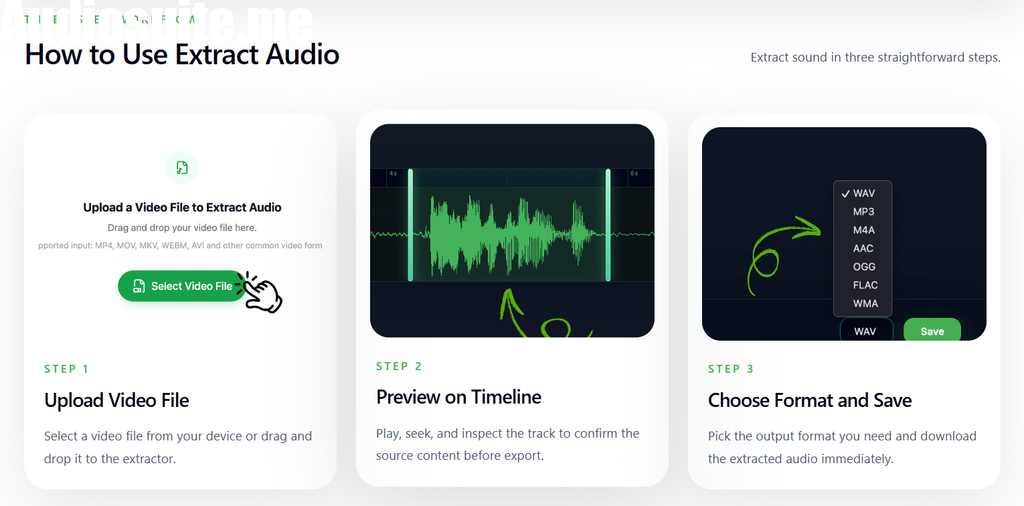
1. AudioCut: The Ultimate Privacy-First Audio Extractor
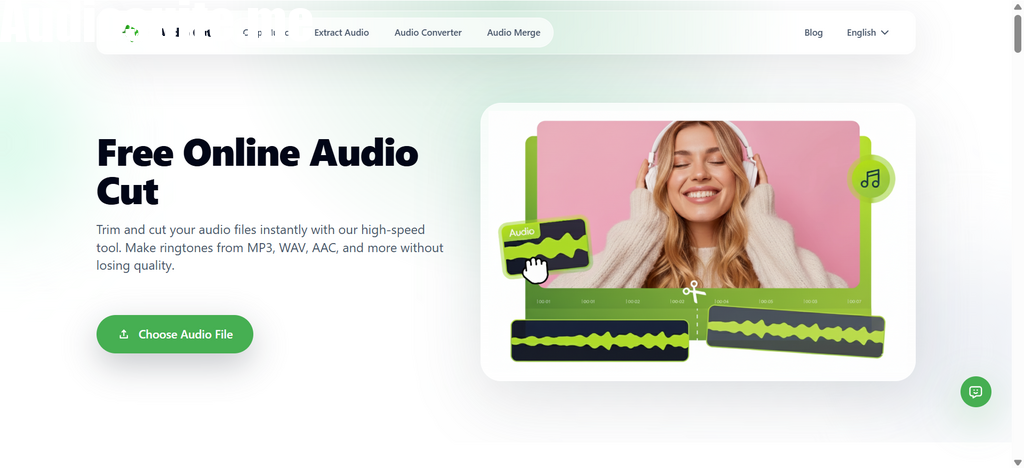
At the top of our list is AudioCut, a tool that has revolutionized how bloggers handle video-to-audio conversion and basic editing.
In 2026, data privacy is a top concern for creators. Unlike traditional online converters that upload your sensitive media to a remote server, AudioCut utilizes WebAssembly (WASM) technology to process everything locally in your browser. For bloggers dealing with unreleased footage, confidential interviews, or proprietary content, this “Local-Native” approach offers 100% security.
Because there’s no upload time, you can extract audio from video or perform a quick CUT on a 4K file in a matter of seconds, regardless of your internet speed. It is the leanest, fastest utility for the daily “heavy lifting” of audio preparation.
- Best for: Secure, instant audio extraction and high-speed trimming.
- Key Advantage: Files never leave your device, ensuring total intellectual property protection.
2. Descript: Revolutionizing Dialogue Editing
Editing audio by staring at complex waveforms can be exhausting. Descript has solved this by allowing bloggers to edit audio just like a text document. Once you upload your file, it provides an AI-generated transcript.
If you want to remove a sentence from your podcast, you simply highlight the text and hit delete. The audio is automatically spliced to match your text edits. It even features “Overdub,” which can recreate your voice from text if you forget to record a specific line.
- Best for: Bloggers who focus on interviews and spoken-word content.
- Key Advantage: Drastically reduces the time spent on manual audio splicing.
3. Adobe Podcast (Enhance): Studio Sound Anywhere
Not every blogger has access to a soundproof studio. Whether you’re recording in a windy park or a reverb-heavy home office, Adobe’s AI-powered “Enhance” tool is a lifesaver.
By applying deep learning algorithms, it strips away background noise and echo, making a recording from a standard smartphone sound like it was captured on a $500 professional microphone. In 2026, this has become the “magic wand” for on-the-go creators.
- Best for: Cleaning up recordings made in noisy or non-professional environments.
- Key Advantage: Professionalizes amateur audio with a single click.
4. Auphonic: The “Automatic” Sound Engineer
Once your editing is done, the final step is mastering. Auphonic acts as an automated sound engineer that balances levels between different speakers and ensures your audio meets the loudness standards (LUFS) required by platforms like Spotify and YouTube.
It also handles metadata tagging and automatic distribution, making it an essential final stop in any professional blogger’s workflow.
- Best for: Final post-production, leveling, and cross-platform optimization.
- Key Advantage: Guarantees a consistent volume level across your entire content library.
5. iZotope RX 11: Surgical Audio Restoration
Sometimes, audio problems are too complex for simple AI filters. If you have a digital click, a sudden siren, or a specific hum that ruins a perfect take, iZotope RX is the industry standard for “surgical” repair.
Its spectral editor allows you to see sound in a 3D-like view, where you can literally “paint out” unwanted noises without affecting the speaker’s voice. It is a high-end tool, but for serious bloggers, it is the ultimate insurance policy for their recordings.
- Best for: Deep restoration and fixing specific audio artifacts.
- Key Advantage: Offers forensic-level control over the audio spectrum.
Conclusion: Building Your 2026 Audio Workflow
The most successful bloggers in 2026 aren’t necessarily the ones with the most expensive gear, but the ones with the smartest workflow.
Starting your process with a fast, secure utility like AudioCut to handle your extraction and initial trims saves you hours of upload time and protects your privacy. Combining that speed with the AI power of Descript or Adobe allows you to produce professional content at a scale that was impossible just a few years ago.
Invest in your sound, respect your data privacy, and your audience will reward you with their attention.